
Real-time kitchen display. Every order, every channel, every station.
POSMena KDS replaces printed tickets with a real-time digital display that organizes orders by status, course, station, and sales channel — dine-in, takeaway, delivery, kiosk, mobile POS, cashier, and online — all in one synchronized kitchen workflow.
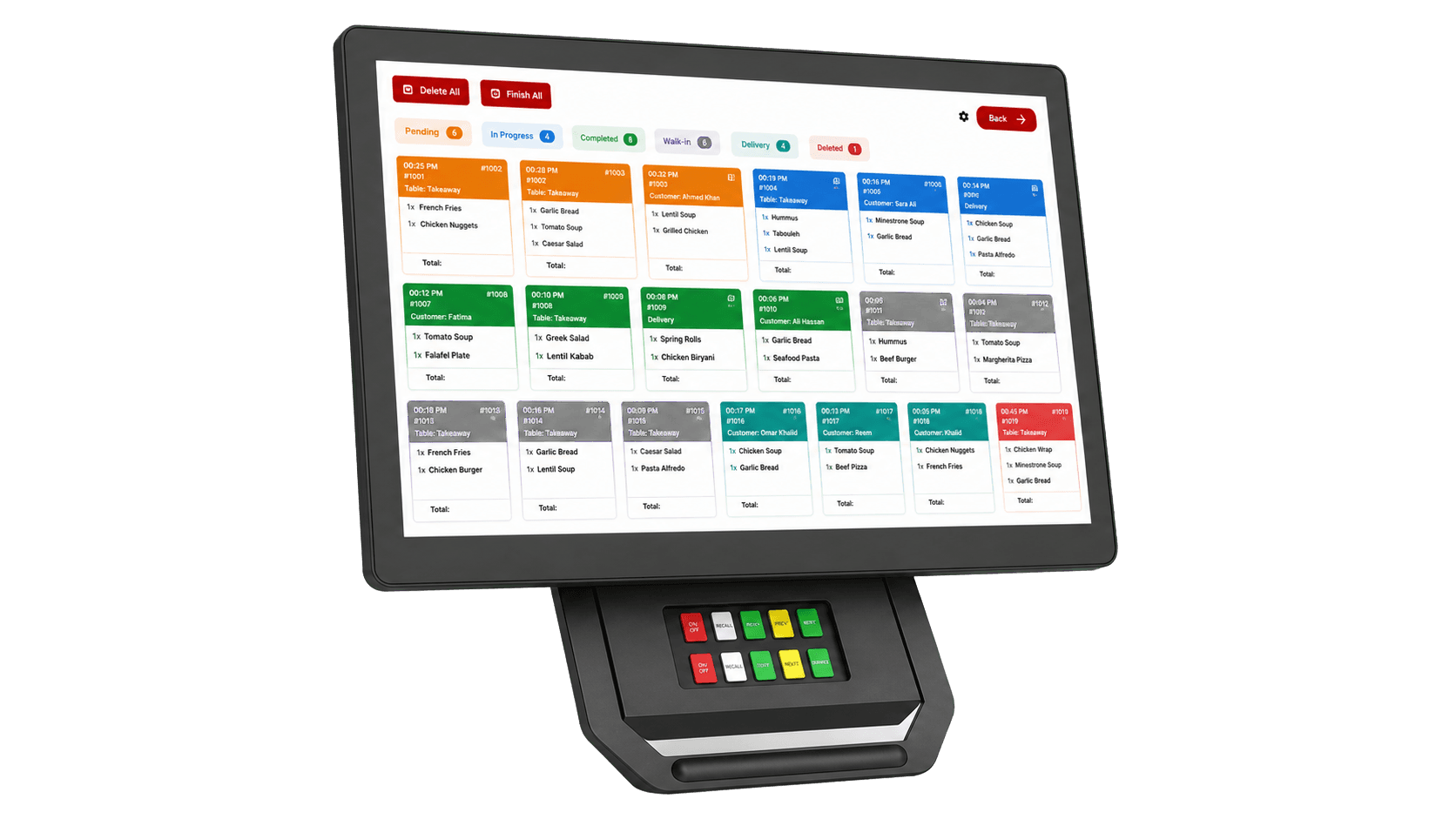
Instant POS Sync
Orders land on the kitchen screen the moment they are placed at any cashier, kiosk, mobile POS, or online channel — no paper, no delay, no manual entry.
Color-Coded Status
Pending, in-progress, completed, delivery, walk-in, and deleted statuses are each color-coded for instant visual recognition by every cook on the line.
Multi-Station Routing
Each station — grill, fry, cold, prep, expeditor — sees only its own items, fully synchronized across the kitchen and conflict-free.
Order Source Visibility
Every ticket shows the source channel, table number, customer notes, and item modifiers, so the team knows exactly who and where the order is for.
Bump & Recall
Mark items or whole orders complete with one tap. Recall a finished ticket instantly if a mistake is caught — recovery is fast and traceable.
Live Performance Reports
Track average prep time, on-time rate, throughput, and station bottlenecks. Decisions are backed by real data, not guesswork.
Every order, every channel — on one live screen.
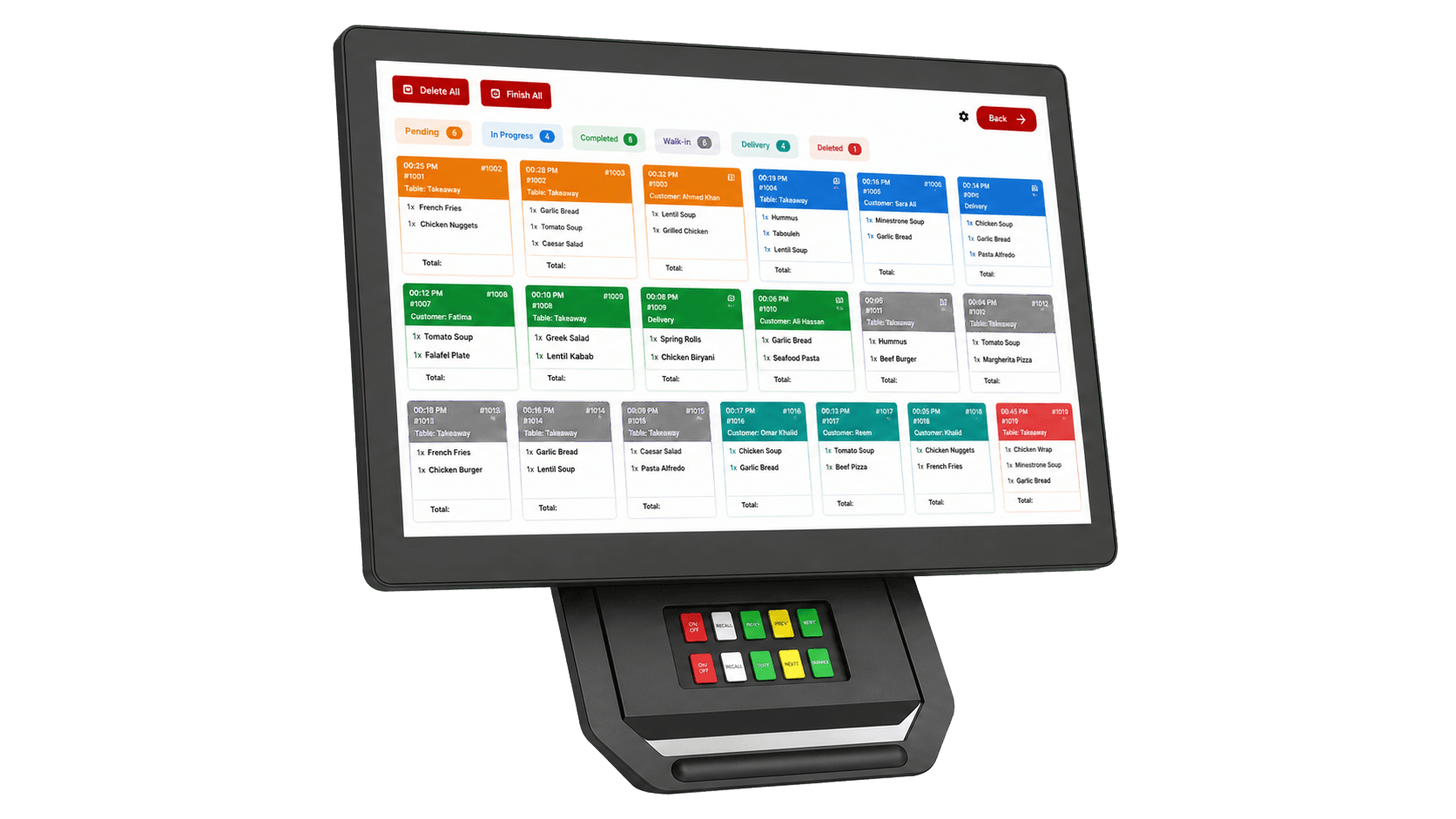
POSMena KDS shows the full live order board for the kitchen: tickets stream in instantly from dine-in, takeaway, delivery, kiosk, mobile POS, cashier, and online channels. Each ticket is color-coded by status and grouped by station, so the team knows what to fire next at a glance.
- Orders from POS, kiosk, mobile, and online land in real time
- Color-coded status: pending, in-progress, completed, delivery, walk-in
- Item modifiers, customer notes, and table number on every ticket
- Routes automatically to grill, fry, cold, prep, or expeditor stations
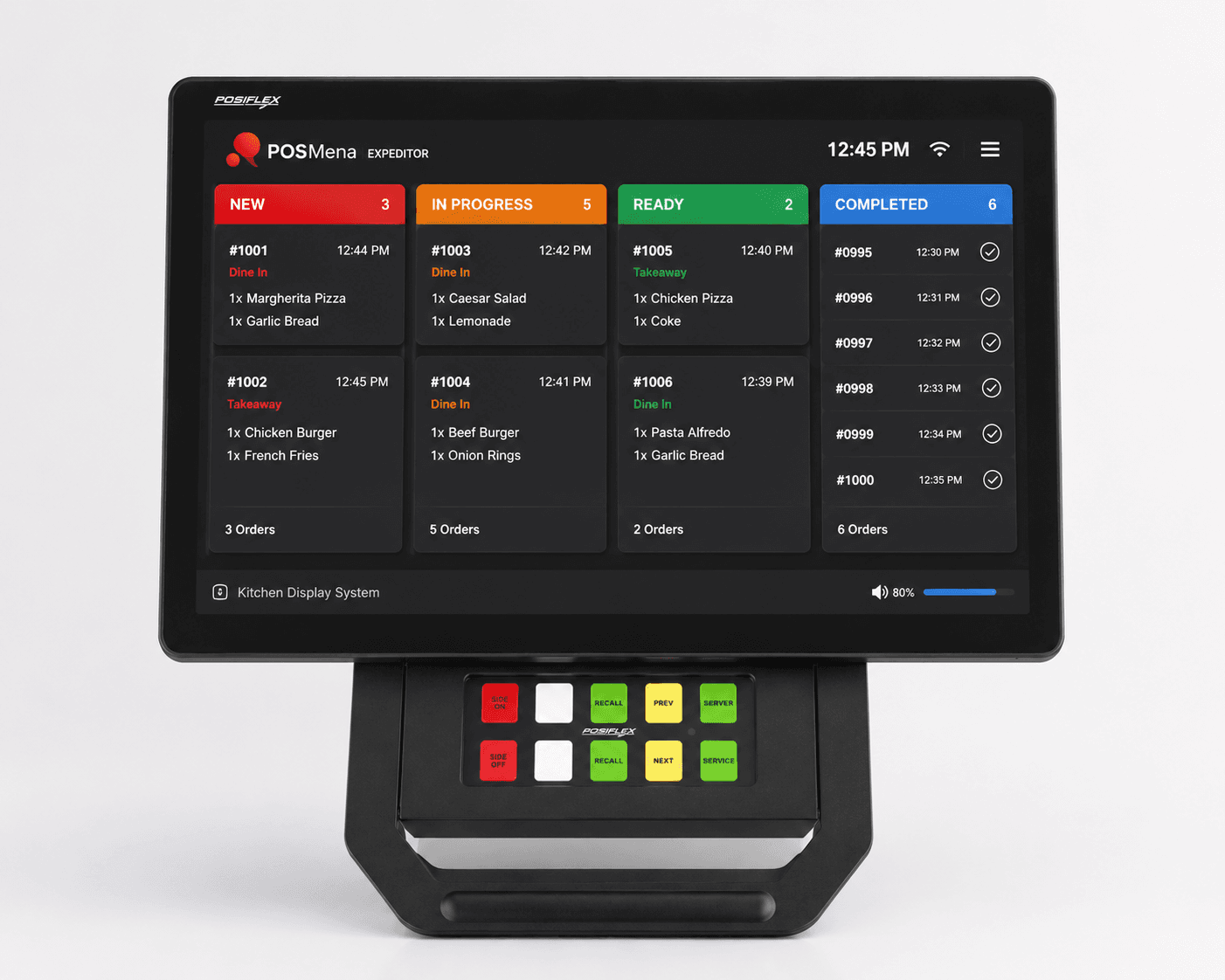
The final control point between kitchen and customer.
The Expeditor Display gives the supervisor a full overview of every active order — new, in progress, ready, and completed — so the full ticket is verified before it leaves the pass. Especially critical for orders that combine grill, fry, cold, and packaging steps.
- Full overview of every active and completed order at the pass
- Verify every item is ready before handoff to dine-in, takeaway, or delivery
- Cuts missing items in multi-station orders
- Improves handoff to cashier, waiter, and delivery driver
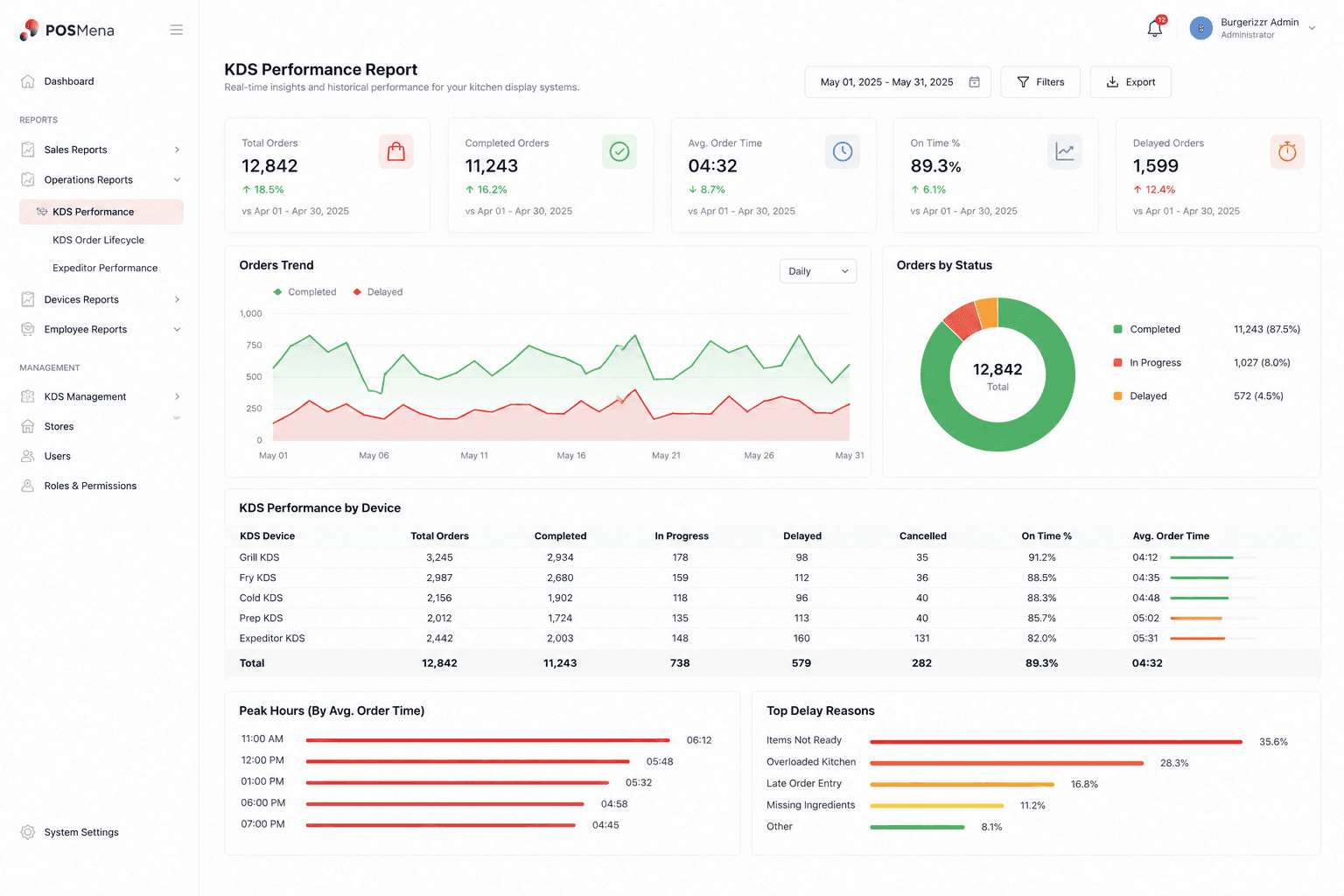
See where time is lost — and where the kitchen wins.
POSMena KDS Reporting gives management visibility into kitchen performance with live and historical metrics. Track total orders, on-time percentage, average prep time, station bottlenecks, peak hours, and delay reasons — at the branch, station, and channel level.
- Total orders, completed, delayed, and on-time percentage
- Average prep time and full order lifecycle from POS to completion
- Performance by station: grill, fry, cold, prep, expeditor
- Peak hours, busiest periods, and top delay reasons
How It Works
Order placed at any channel
A new order is created at the cashier, kiosk, mobile POS, online channel, or delivery app — and is routed to the correct kitchen station automatically.
Ticket appears on KDS
The ticket lands on the kitchen screen in real time with full details — items, modifiers, notes, table number, and source channel — color-coded by status.
Kitchen prepares and bumps
Each station marks items complete as they are prepared. The expeditor sees the assembled order and verifies it before handoff.
Order handed off and tracked
Once completed, the ticket leaves the active board. Prep time, on-time rate, and station performance are recorded for live and historical reporting.
Built for Your Business Type
Full-Service Restaurants
Dine-in operations with multiple courses, modifiers, and table coordination get a synchronized kitchen view that matches how the team actually works.
Quick Service & QSR
High-volume burger, chicken, pizza, and sandwich operations cut ticket times and missed items with instant routing and color-coded status.
Cloud Kitchens & Delivery
Multi-brand, multi-channel kitchens consolidate every aggregator and delivery order onto one screen with expeditor handoff control.
Multi-Branch Chains
Branch-level and station-level reporting lets HQ benchmark performance, detect bottlenecks, and standardize service quality across locations.
POSMena vs Legacy POS
| Capability | POSMena KDS | Paper Tickets |
|---|---|---|
| Delivery speed | Instant sync from every channel | Manual handoff, variable delay |
| Order accuracy | Digital, modifiers and notes visible | Misreads, lost or smudged tickets |
| Multi-station coordination | Native, conflict-free routing | Physical copies per station |
| Expeditor control | Built-in expeditor view at the pass | Verbal coordination only |
| Performance data | Live metrics, station-level reports | Impossible to capture |
| Channel coverage | Dine-in, takeaway, delivery, kiosk, online | Whatever the printer is wired to |
Frequently asked questions
Which order channels feed into POSMena KDS?
+
Can multiple kitchen stations run simultaneously?
+
Does the expeditor display require separate hardware?
+
What hardware do I need to run KDS?
+
Can managers see live kitchen performance?
+
Ready to revolutionize your business?
See POSMena live in a 20-minute tailored demo. No obligation. No credit card.