
Guests order themselves. Your team serves faster.
POSMena's self-service kiosk puts a full interactive menu at the customer's fingertips — photo-rich customization, smart upsells, contactless payment, and instant kitchen routing. Cut queues, lift average order value, and free your team for hospitality.
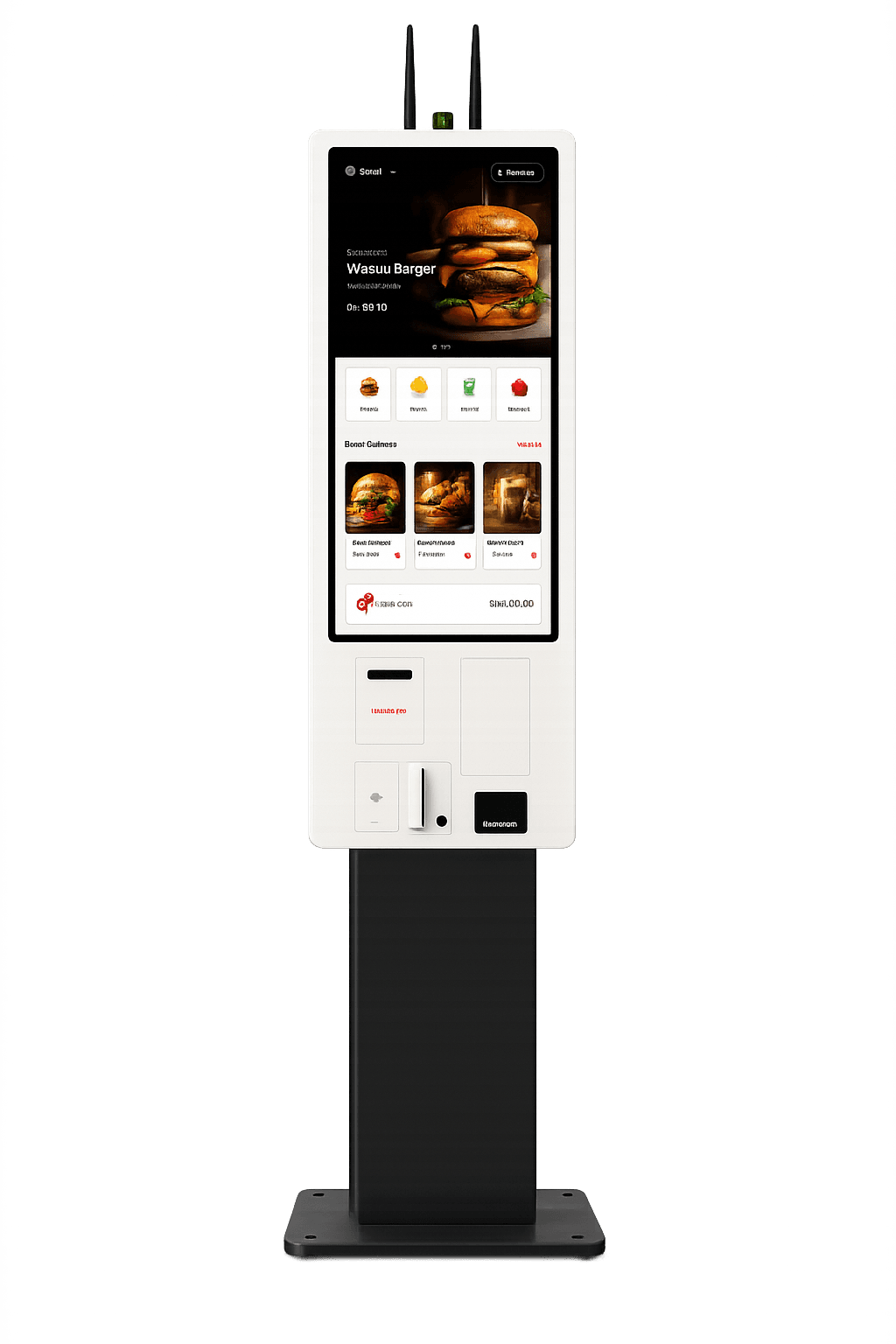
Touchscreen Menu
Photo-rich, multi-language menu built for fast decision-making. Guests browse, customize, and order at their own pace — no staff pressure.
Instant KDS Sync
Every kiosk order routes to the correct kitchen station via KDS the moment payment confirms. No paper, no re-entering, no errors.
Contactless Payment
Accept card, NFC, QR Pay, Apple Pay and Google Pay — all certified and PCI compliant. No separate payment terminal required.
Smart Upselling
The kiosk suggests relevant add-ons and combos at checkout. Operators report a 15–30% lift in average order value vs counter orders.
Digital Receipts
Customers choose print or SMS receipt with every order. All receipts are ZATCA-compliant with a full digital audit trail.
Multi-language Interface
Switch between Arabic, English, and Turkish in a single tap. RTL layout for Arabic renders instantly — no reload, no separate setup.
A full menu in one tap. Customizable the way guests want it.
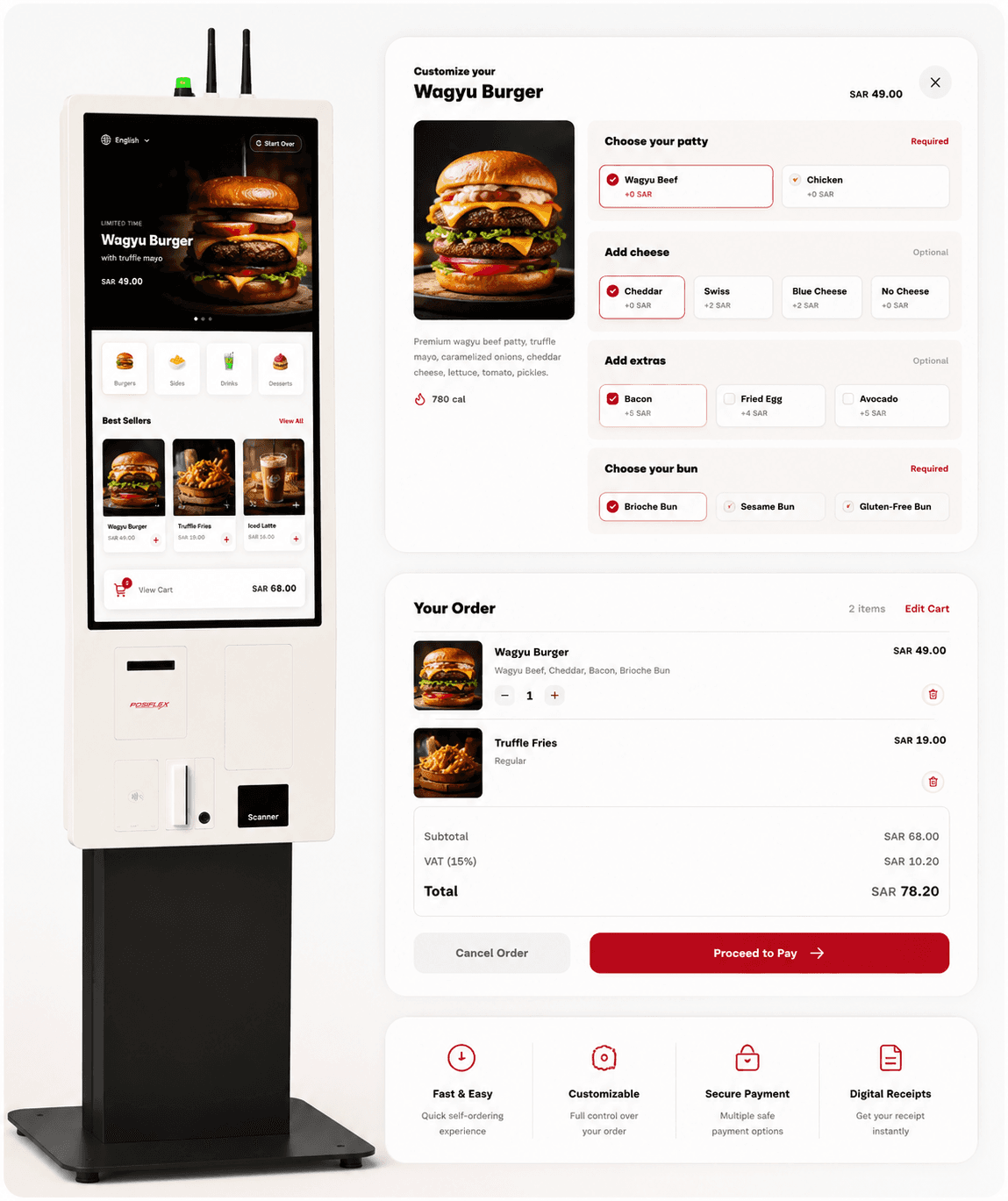
POSMena Kiosk displays your full menu with high-res photos, category tabs, and item-level customization. Guests build their order exactly as they like — extra patty, no onion, add sauce — then confirm with a single tap. No waiting, no miscommunication.
- Full menu with high-resolution food photography
- Item modifiers: add-ons, removals, and portion choices
- Suggested combos and upsells shown at item level
- Multi-language toggle — Arabic, English, Turkish
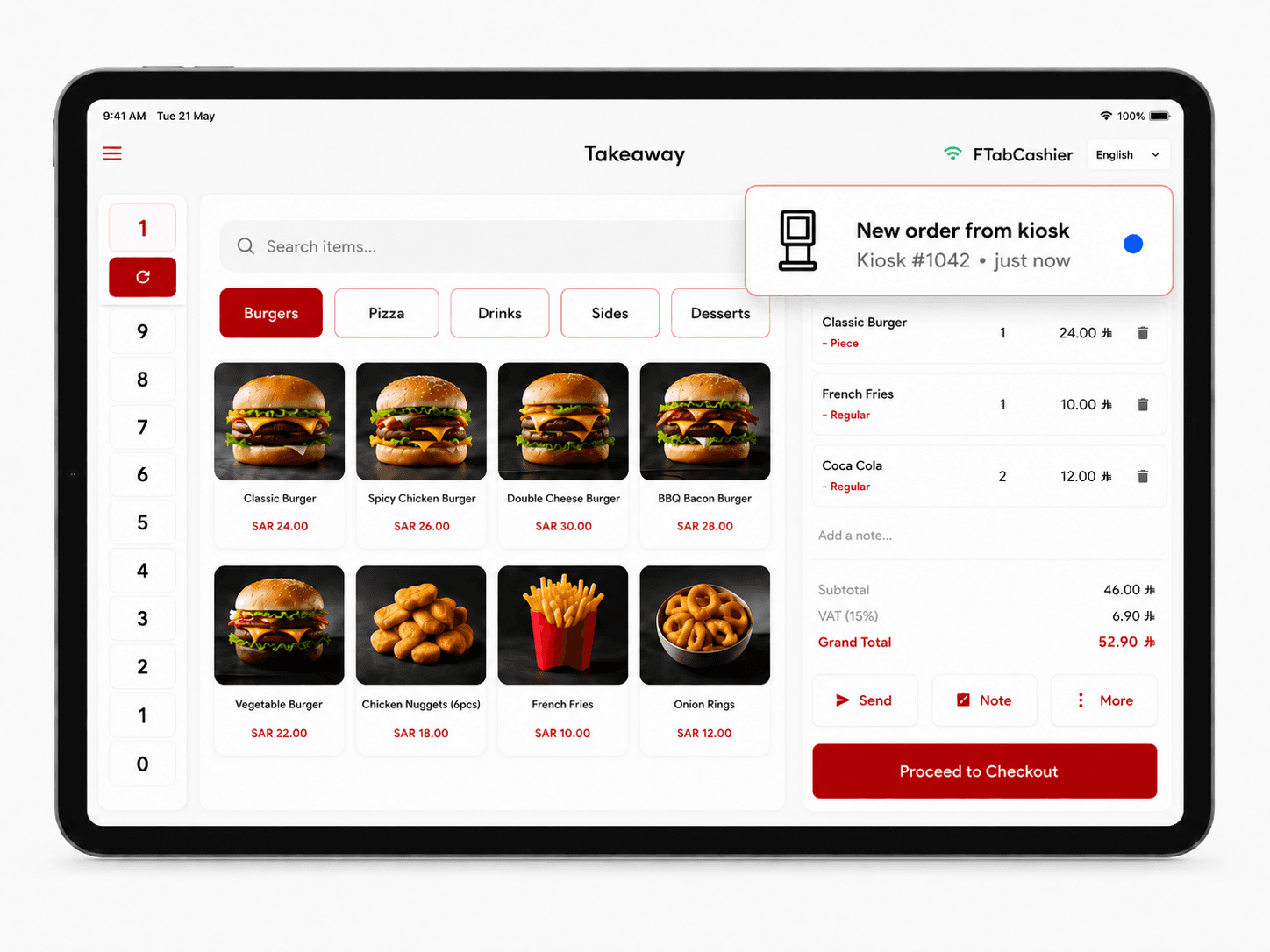
Every kiosk order lands in your POS instantly.
The moment a guest pays at the kiosk, the order hits your POSMena cashier dashboard — labeled, priced, and ready. No manual entry, no channel switching. Kiosk, counter, and delivery orders all in one live stream.
- Real-time notification for every kiosk order placed
- Channel-labeled ('Kiosk #1042') for instant traceability
- Kiosk, counter, and delivery unified in one dashboard
- Manager can pause kiosk or push menu updates remotely
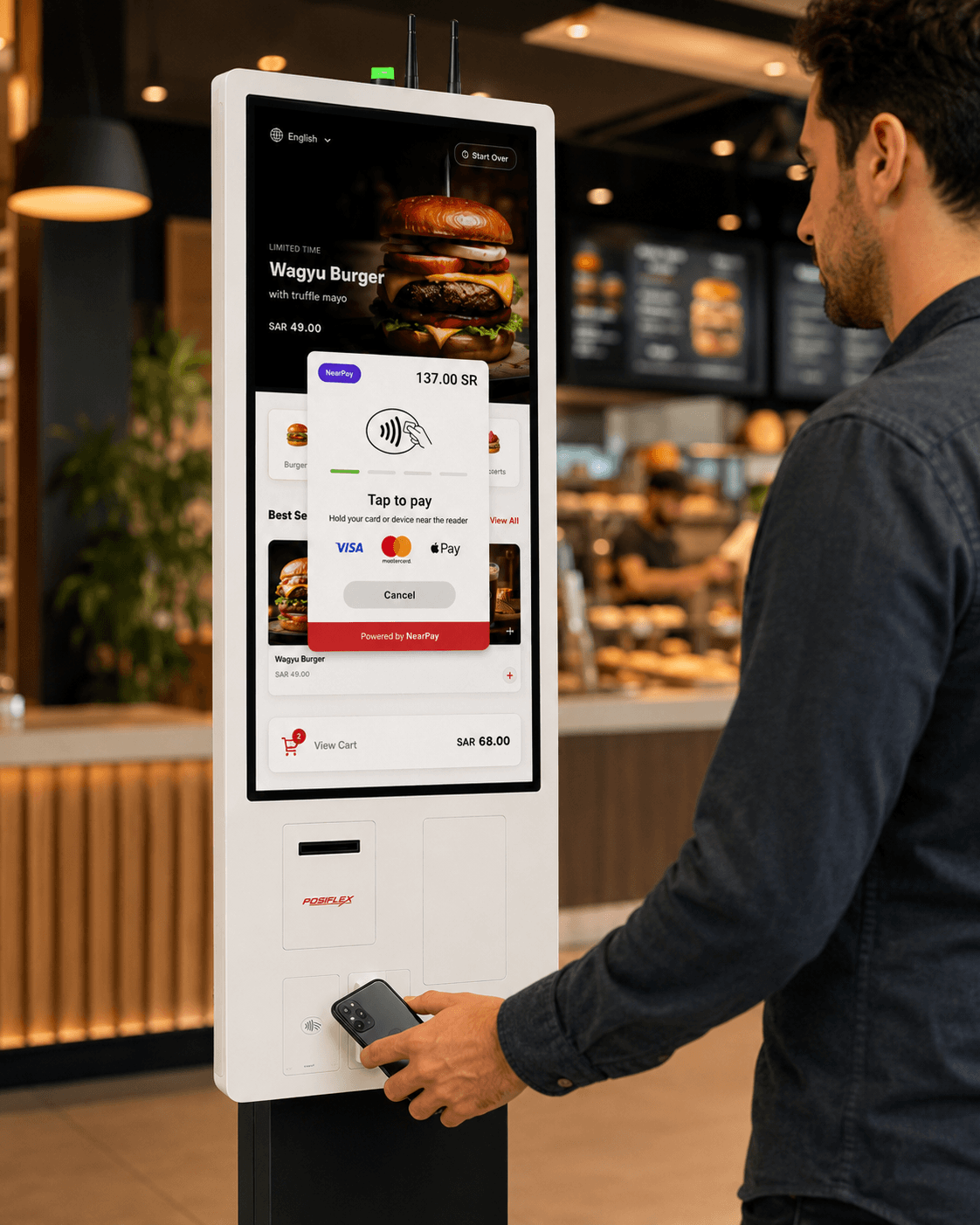
Tap to pay. No cashier needed.
POSMena Kiosk integrates NearPay for fully certified, on-screen contactless payment. Guests tap their card or phone to complete the order — no separate terminal, no staff handoff, no friction.
- NearPay certified: Visa, Mastercard, Apple Pay, Google Pay
- Payment completes on the kiosk screen — zero external hardware
- ZATCA Phase 2 e-receipt generated and sent instantly
- End-to-end PCI-compliant transaction flow
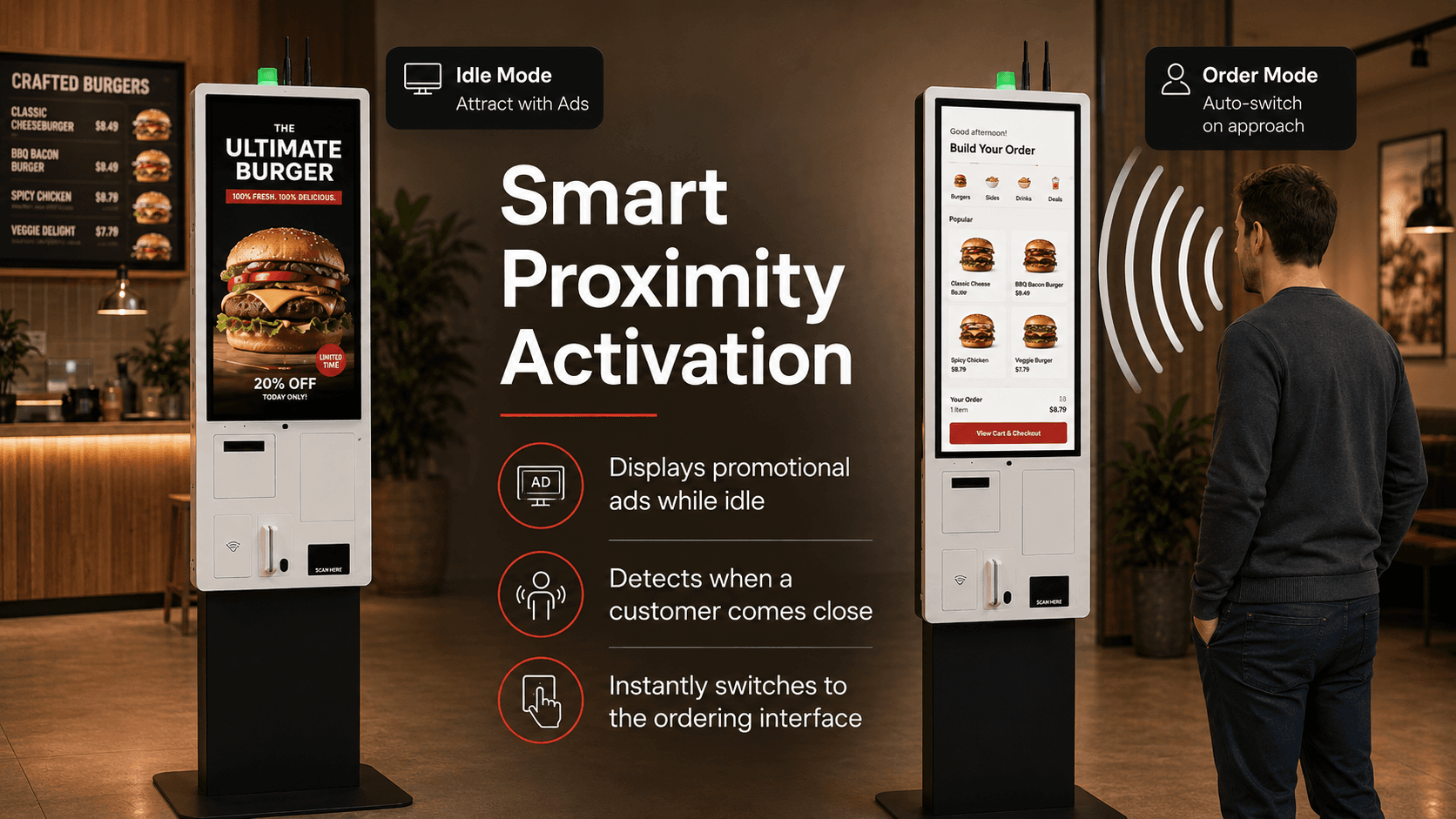
Idle kiosk runs ads. Customer walks up — ordering opens automatically.
When no one is at the kiosk, the screen displays promotional content: featured meals, limited-time offers, and best sellers. The moment a customer approaches, the proximity sensor detects them and instantly switches to the ordering interface — no button press, no delay, no friction.
- Displays branded ads and promotions while kiosk is idle
- Proximity sensor detects customer approach automatically
- Switches to ordering mode instantly — zero button press needed
- Promotes high-margin items and combos during idle time
- Reduces friction and improves overall kiosk utilization
How It Works
Guest approaches the kiosk
The menu loads automatically — full photo menu, language selector, and category navigation are ready. No login, no waiting.
Customize and build the order
Guest browses, taps items, adjusts modifiers (add-ons, removals, sizes), and reviews their basket before confirming.
Pay at the kiosk
Tap card, scan QR, or use digital wallet. Receipt is printed or sent by SMS. No cashier interaction needed.
Order routes to kitchen instantly
The moment payment confirms, the order appears on the correct KDS station labeled 'Kiosk'. Average confirmation-to-kitchen time: under 3 seconds.
Built for Your Business Type
Quick Service Restaurants (QSR)
High-volume, low-touch ordering built for burger chains, pizza counters, chicken QSRs, and sandwich brands with repeat customers.
Food Courts & Malls
Multiple kiosk units handle peak traffic efficiently, freeing counter staff for food prep and delivery rather than queuing.
Cafes & Coffee Shops
Take drink orders and food combos with modifier support. The kiosk handles routine orders so baristas can focus on craft.
Hotels & Stadiums
Deploy in lobbies, concourse areas, and poolside. Multi-language support handles international guests without extra staff.
POSMena vs Legacy POS
| Capability | POSMena Kiosk | Traditional Counter Order |
|---|---|---|
| Queue time | Self-serve: 1–3 min average | Counter: 3–7 min at peak |
| Average order value | 15–30% lift via smart upsells | Staff-directed upsell only |
| Payment methods | Card, NFC, QR, digital wallets | Card or cash at cashier only |
| Menu updates | Instant push from POS back-office | Printed boards, manual update |
| Receipt | Print + SMS + ZATCA e-receipt | Print only |
| Language support | Arabic, English, Turkish — tap to switch | Staff-dependent |
Frequently asked questions
Does the kiosk work with POSMena's KDS and main POS?
+
Can I run multiple kiosks in one venue?
+
What payment methods does the kiosk accept?
+
Can I update the kiosk menu remotely?
+
What hardware is required?
+
Ready to revolutionize your business?
See POSMena live in a 20-minute tailored demo. No obligation. No credit card.